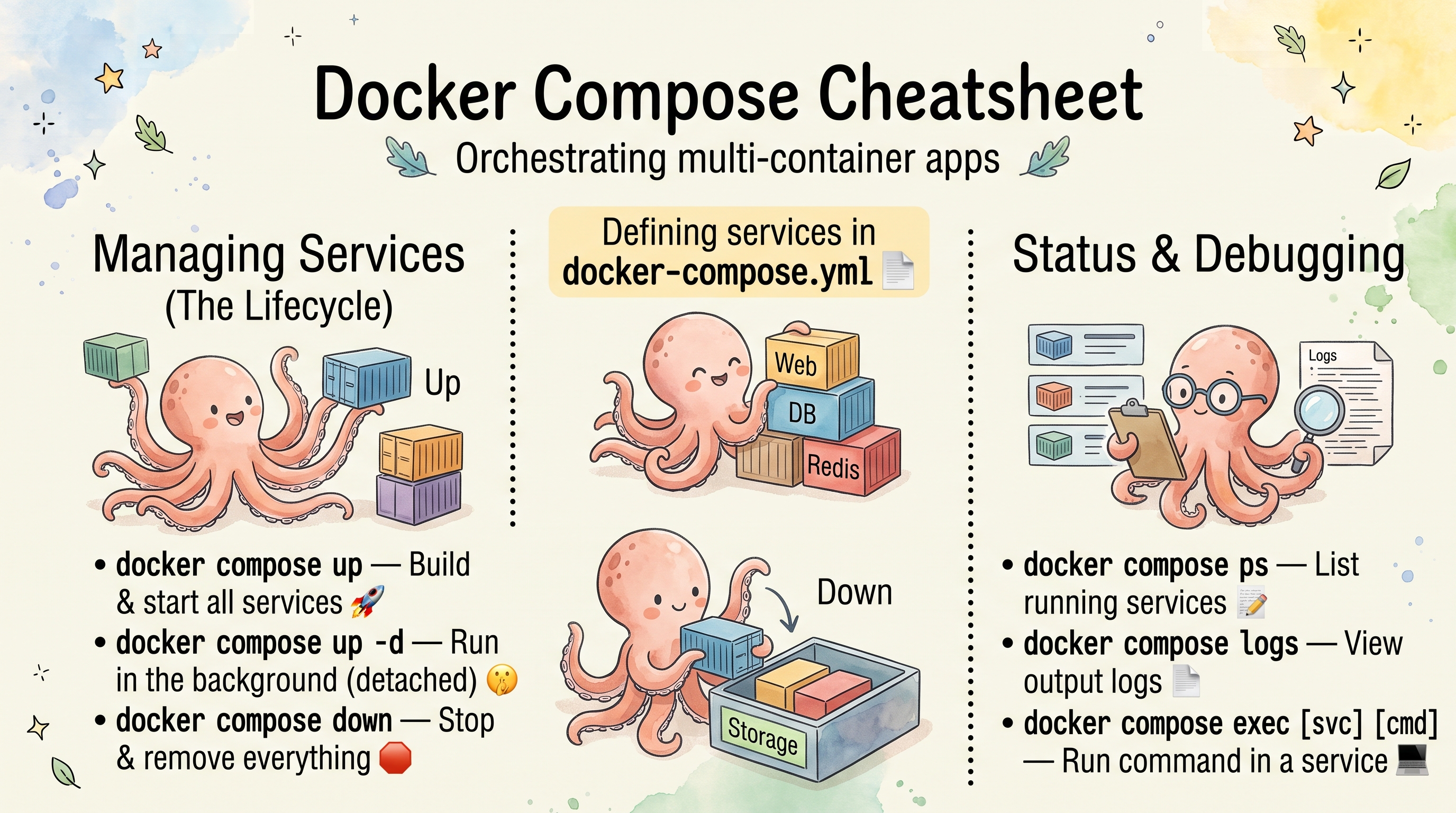
Docker Compose Cheatsheet
Installation
Compose v2 is a Docker CLI plugin (docker-compose-plugin), installed next to Docker Engine.
Ubuntu and Debian
# Docker's apt repository
sudo apt update
sudo apt install -y ca-certificates curl
sudo install -m 0755 -d /etc/apt/keyrings
sudo curl -fsSL https://download.docker.com/linux/ubuntu/gpg -o /etc/apt/keyrings/docker.asc
sudo chmod a+r /etc/apt/keyrings/docker.asc

sudo tee /etc/apt/sources.list.d/docker.sources > /dev/null <<EOF
Types: deb
URIs: https://download.docker.com/linux/ubuntu
Suites: $(. /etc/os-release && echo "${UBUNTU_CODENAME:-$VERSION_CODENAME}")
Components: stable
Signed-By: /etc/apt/keyrings/docker.asc
EOF

# Docker Engine, CLI, Buildx and Compose
sudo apt update
sudo apt install -y docker-ce docker-ce-cli containerd.io docker-buildx-plugin docker-compose-plugin
On Debian, replace ubuntu with debian in both URLs. The Suites: line fills in the release codename (noble, trixie).
The distributions’ own packages are older: docker-compose-v2 on Ubuntu 24.04 is 2.40.3, docker-compose on Debian 13 is 2.26.1.
RHEL, Rocky, AlmaLinux and Fedora
# RHEL 9 and rebuilds (dnf 4)
sudo dnf -y install dnf-plugins-core
sudo dnf config-manager --add-repo https://download.docker.com/linux/rhel/docker-ce.repo

# Fedora 41 and later (dnf 5 changed the syntax)
sudo dnf -y install dnf-plugins-core
sudo dnf config-manager addrepo --from-repofile=https://download.docker.com/linux/fedora/docker-ce.repo

# Then, on both
sudo dnf -y install docker-ce docker-ce-cli containerd.io docker-buildx-plugin docker-compose-plugin
After Installing (Linux)
sudo systemctl enable --now docker      # start Docker now and at boot
sudo usermod -aG docker "$USER"          # use docker without sudo (log out and back in)
docker compose version                   # Docker Compose version v5.6.0
docker run --rm hello-world              # check that the daemon works
Members of the
dockergroup can start a container that mounts/from the host, so the group is equivalent to root. Only add trusted users, or use rootless Docker.
Only the Compose Plugin
When Docker Engine is already installed (for example the distribution’s docker.io) but docker compose says unknown command, download the plugin binary from the GitHub releases:
DOCKER_CONFIG=${DOCKER_CONFIG:-$HOME/.docker}
mkdir -p "$DOCKER_CONFIG/cli-plugins"
curl -fsSL "https://github.com/docker/compose/releases/download/v5.6.0/docker-compose-linux-$(uname -m)" \
  -o "$DOCKER_CONFIG/cli-plugins/docker-compose"
chmod +x "$DOCKER_CONFIG/cli-plugins/docker-compose"
docker compose version
$(uname -m) picks x86_64 or aarch64. This installs it for your user only; for everyone, use /usr/local/lib/docker/cli-plugins with sudo. Update by downloading a newer release over it.
macOS
- Docker Desktop includes Compose: install it and
docker composeworks. - Colima (no Docker Desktop) with Homebrew:
brew install colima docker docker-compose
colima start
Docker only finds the Homebrew plugin after you add this to ~/.docker/config.json (Homebrew prints it after the install):
{
  "cliPluginsExtraDirs": ["/opt/homebrew/lib/docker/cli-plugins"]
}
On Intel Macs the path is /usr/local/lib/docker/cli-plugins.
Start and Stop
| Command | Description |
|---|---|
docker compose up -d | Create and start everything in the background |
docker compose up -d --build | Rebuild images first |
docker compose up -d web db | Only these services (and their depends_on) |
docker compose up -d --force-recreate | Recreate containers even if nothing changed |
docker compose up -d --no-recreate | Keep existing containers, only create missing ones |
docker compose up -d --remove-orphans | Also remove containers of services no longer in the file |
docker compose up -d --wait | Return once services are running or healthy |
docker compose create | Create containers and networks without starting them |
docker compose start | Start existing (stopped or created) containers |
docker compose stop | Stop, keep the containers |
docker compose stop -t 2 web | Stop one service with a 2 s timeout before SIGKILL |
docker compose restart | Restart all services |
docker compose restart -t 30 web | Restart one service, 30 s stop timeout |
docker compose pause / unpause | Freeze / resume the processes |
docker compose down | Stop and remove containers and the default network |
docker compose down -v | Also remove named and anonymous volumes (data is lost) |
docker compose down --rmi local | Also remove images built by Compose (no custom image: tag) |
docker compose down --rmi all | Also remove every image the services use |
docker compose down -v --rmi all --remove-orphans | Remove everything the project created |
Status
| Command | Description |
|---|---|
docker compose ps | Running containers of the project |
docker compose ps -a | Including stopped ones |
docker compose ps -q | Container IDs only |
docker compose ps --services | Service names |
docker compose ps --status=exited | Only exited containers (also running, paused, created, …) |
docker compose ps --filter status=running --format '{{.Service}}' | Running services, one line per container |
docker compose ps --format "table {{.Name}}\t{{.Status}}\t{{.Ports}}" | Custom columns |
docker compose ps --format json | One JSON object per line (not an array): pipe through jq |
docker compose images | Images used by the containers (-q for IDs) |
docker compose top | Processes in every container |
docker compose stats --no-stream | CPU and memory per container, one snapshot |
docker compose port web 80 | Host address and port mapped to container port 80 |
docker compose port --protocol udp dns 53 | Same for a UDP port (80/tcp is not accepted) |
docker compose ls | All Compose projects on this host, with their config files |
docker compose ls -a --format json | Including stopped projects, as JSON |
docker compose volumes | Volumes used by the project |
Logs
| Command | Description |
|---|---|
docker compose logs | Logs of all services |
docker compose logs -f | Follow |
docker compose logs -f web app | Follow some services |
docker compose logs -t | With timestamps |
docker compose logs --tail 100 | Last 100 lines per container (-n 100) |
docker compose logs -f --tail 50 web | Last 50 lines, then follow |
docker compose logs --since 30m | Last 30 minutes |
docker compose logs --since "2024-01-01T00:00:00" | Since an absolute time |
docker compose logs --until 1s web | Up to a time |
docker compose logs -n 1 --index 1 web | One replica of a scaled service |
docker compose logs --no-color | No colors (for piping to a file) |
docker compose logs --no-log-prefix | Without the service-1 | prefix |
Exec and Run
exec runs a command in an existing container; run starts a new one-off container for a service.
| Command | Description |
|---|---|
docker compose exec web bash | Shell in the running web container |
docker compose exec db psql -U postgres | Run a program in it |
docker compose exec -u root web sh | As another user |
docker compose exec -T web cat /etc/hosts | No pseudo-TTY (scripts, CI, pipes) |
docker compose exec -e DEBUG=true web ./run.sh | With an environment variable |
docker compose exec -w /app web ls | In another working directory |
docker compose exec -d web python task.py | In the background |
docker compose exec --index 2 web hostname | In the second replica |
docker compose run --rm web bash | One-off container, removed afterwards |
docker compose run --rm web npm test | One-off command |
docker compose run --rm --no-deps web bash | Without starting depends_on services |
docker compose run --rm -p 9090:8080 web | With a port mapping (run publishes none by default) |
docker compose run --rm --service-ports web | With the ports from the Compose file |
docker compose run --rm -e FOO=bar worker env | With a variable |
docker compose run --rm --env-from-file run.env worker env | With variables from a file |
docker compose run --rm --entrypoint echo worker hi | Replace the entrypoint |
docker compose run --rm -u 1000:1000 worker id -u | As a UID:GID |
docker compose run --rm -v "$PWD/src:/mnt:ro" worker ls /mnt | Extra volume |
docker compose run -d --name myone worker sleep 30 | Detached, with a fixed name |
A container started with run -d isn’t removed by --rm: delete it with docker rm -f, or Compose warns about orphans on the next command.
Build, Pull and Push
| Command | Description |
|---|---|
docker compose build | Build every service with a build: section |
docker compose build web | One service |
docker compose build --no-cache | Without the build cache |
docker compose build --pull | Pull newer base images first |
docker compose build --build-arg VERSION=1.0 | With a build argument |
docker compose --progress=plain build | Full build output (--progress is a global flag) |
docker compose pull | Pull all images |
docker compose pull -q web | One service, without progress output |
docker compose pull && docker compose up -d | Update images and recreate what changed |
docker compose push | Push built images (needs image: with a registry) |
Services build in parallel by default; the global --parallel N limits it. build --parallel and build --progress are no longer in build --help and are ignored.
Config and Validation
| Command | Description |
|---|---|
docker compose config | Merged, interpolated configuration |
docker compose config --quiet | Only validate (exit code 0 or an error) |
docker compose config --services | Service names |
docker compose config --volumes | Volume names |
docker compose config --profiles | Profile names |
docker compose config --images | Image names |
docker compose config --variables | Variables the file uses, required or with defaults |
docker compose config --no-interpolate | Show ${VAR} as written |
docker compose config --resolve-image-digests | Pin images to their @sha256: digests |
docker compose config --hash '*' | Config hash per service (what decides a recreate) |
docker compose config --format json | As JSON |
docker compose config -o resolved.yaml | Write the result to a file |
docker compose config --environment | Environment Compose sees. Prints your whole shell environment, secrets included |
Global Flags
They go before the subcommand: docker compose -f prod.yml up -d.
| Flag | Description |
|---|---|
-f file | Compose file; repeat to merge several, later files win |
-p name | Project name (default: the directory name, or name: in the file) |
--project-directory dir | Base directory for relative paths and .env |
--env-file file | Variables for interpolation instead of .env |
--profile name | Enable a profile (repeatable, '*' for all) |
--parallel N | Max parallel operations (-1 = unlimited) |
--progress mode | auto, tty, plain, json or quiet |
--ansi mode | never, always or auto |
--dry-run | Show what would happen without doing it |
docker compose -f compose.yaml -f compose.prod.yaml up -d   # Merge two files
docker compose -p myproject up -d                           # Fixed project name
docker compose --env-file .env.prod up -d                   # Other variables file
docker compose --project-directory /path/to/project up -d   # Run from anywhere
docker compose up -d --dry-run                              # Preview: Running, Recreate, Create, ...
Compose CLI Variables
These change how the docker compose command behaves:
| Variable | Description |
|---|---|
COMPOSE_PROJECT_NAME=myapp | Project name |
COMPOSE_FILE=compose.yaml:compose.prod.yaml | Files to load, separated by : (; on Windows) |
COMPOSE_PATH_SEPARATOR | Change that separator |
COMPOSE_PROFILES=frontend,api | Active profiles |
COMPOSE_ENV_FILES=.env,.env.local | Env files instead of .env |
COMPOSE_PARALLEL_LIMIT=4 | Max parallel operations |
COMPOSE_REMOVE_ORPHANS=true | Always remove orphan containers |
COMPOSE_IGNORE_ORPHANS=true | Don’t warn about orphan containers |
COMPOSE_PROGRESS=plain | Progress output type |
COMPOSE_ANSI=never | No ANSI colors |
DOCKER_HOST=ssh://user@remote | Another Docker daemon |
COMPOSE_FILE and COMPOSE_PROFILES in .env pin the files and profiles, so a plain docker compose up does the right thing. COMPOSE_HTTP_TIMEOUT from Compose v1 no longer exists.
up Flags
| Flag | Description |
|---|---|
-d | Detached |
--build / --no-build | Build images first / never build |
--force-recreate | Recreate containers even if unchanged |
--no-recreate | Don’t recreate existing containers |
--no-deps | Don’t start depends_on services |
--no-start | Create only (same as create) |
--remove-orphans | Remove containers of services not in the file |
--scale svc=N | Run N containers of a service |
--wait / --wait-timeout 30 | Wait until running or healthy, with a timeout in seconds |
--pull always | always, missing or never |
--quiet-pull | No pull progress |
--no-attach worker | Hide one service’s logs in an attached up |
--abort-on-container-exit | Stop everything when any container stops |
--abort-on-container-failure | Stop everything when a container exits with a non-zero code |
--exit-code-from job | Exit with job’s exit code (implies --abort-on-container-exit) |
-t N / --timeout N | Shutdown timeout in seconds |
up --abort-on-container-exit --exit-code-from job job is the CI pattern: tested with job exiting with code 3, the shell exit code was 3.
down Flags
| Flag | Description |
|---|---|
-v / --volumes | Remove named volumes declared in the file and anonymous volumes |
--rmi local | Remove images without a custom tag (built by Compose) |
--rmi all | Remove all images used by the services |
--remove-orphans | Remove containers of services not in the file |
-t N | Shutdown timeout in seconds |
Scaling
| Command | Description |
|---|---|
docker compose up -d --scale worker=5 | Five worker containers |
docker compose up -d --scale worker=5 --scale api=3 | Several services |
docker compose scale worker=2 | Same, as its own command |
docker compose up -d --scale web=0 | Stop and remove all web containers |
Scaling needs a service without container_name and without a fixed host port: with ports: ["18081:80"] the second container fails with port is already allocated. Use "80" (random host port) or a reverse proxy. Scaling down removes the containers with the highest numbers first.
Other Commands
| Command | Description |
|---|---|
docker compose cp web:/app/logs ./logs | Copy from a container to the host |
docker compose cp ./config.json web:/app/config.json | Copy from the host to a container |
docker compose kill | SIGKILL all containers |
docker compose kill -s SIGUSR1 web | Send another signal |
docker compose rm | Remove stopped containers (asks first) |
docker compose rm -f -v | Without asking, with their anonymous volumes |
docker compose rm -s -f worker | Stop and remove in one step |
docker compose events | Live container events |
docker compose events --json web | As JSON, one service |
docker compose wait job | Block until job stops, exit with its code |
docker compose wait --down-project job | …then remove the project |
docker compose commit worker img:1 | Save a container as an image |
docker compose export -o worker.tar worker | Container filesystem as a tar file |
docker compose attach web | Attach to a running container’s output |
docker compose watch | Sync or rebuild on file changes (see below) |
docker compose version | Compose version |
Volumes: Inspect and Clean Up
Named volumes survive down; only down -v or docker volume rm deletes them.
| Command | Description |
|---|---|
docker compose volumes | Volumes of the project |
docker volume inspect myproject_db_data | Mountpoint, driver, labels |
docker ps -a --filter volume=myproject_db_data | Containers using a volume |
docker volume ls -f dangling=true | Volumes no container uses |
docker system df -v | Disk usage per volume |
docker volume prune | Remove unused anonymous volumes (asks first) |
docker volume prune -a | Remove all unused volumes, named ones too |
docker volume prune -adeletes every unused volume on the host, not just this project’s: a database volume whose containers were removed is “unused”. Checkdocker volume ls -f dangling=truefirst, and back up what you need.
Troubleshooting
| Command | Description |
|---|---|
docker compose config | Is the file valid, are variables substituted? |
docker compose ps -a | Did a container exit? |
docker compose logs web | Why did it exit? |
docker compose events | What is happening right now |
docker compose up -d --dry-run | What up would change |
docker compose up -d --force-recreate web | Recreate one service |
docker compose ls | Which projects and files are in use |
Useful Combinations
# Complete development reset (deletes the project's volumes)
docker compose down -v --remove-orphans && docker compose up -d --build

# Update one service without touching its dependencies
docker compose pull web && docker compose up -d --no-deps web

# Database shell and backup
docker compose exec db psql -U postgres -d myapp
docker compose exec -T db pg_dump -U postgres myapp > backup.sql

# Tests in a one-off container
docker compose run --rm --no-deps web npm test

# Validate, then start and wait for health checks
docker compose config --quiet && docker compose up -d --wait

# Save the last day of logs
docker compose logs --no-color --since 24h > app.log
Scaling up to 2 and back to 1 is not a zero-downtime deploy: tested, scaling down removed the new container (
worker-2) and kept the old one. For rolling updates use a reverse proxy with two services, or Docker Swarm / Kubernetes.
Useful One-Liners
Tested in a separate Docker-in-Docker container (Docker 29.8, Compose v5.5.1).
Backups and Restores
# Compressed, dated Postgres backup
docker compose exec -T db pg_dump -U postgres myapp | gzip > backup-$(date +%F).sql.gz

# Restore it (into an existing, empty database)
gunzip -c backup-2026-10-11.sql.gz | docker compose exec -T db psql -U postgres myapp

# MySQL dump, with the password from inside the container
docker compose exec -T db sh -c 'exec mysqldump -uroot -p"$MYSQL_ROOT_PASSWORD" app' > dump.sql

# MariaDB 11 images have no mysqldump: use mariadb-dump
docker compose exec -T db sh -c 'exec mariadb-dump -uroot -p"$MYSQL_ROOT_PASSWORD" app' > dump.sql
The single quotes keep $MYSQL_ROOT_PASSWORD from being expanded by your own shell, where it is empty; sh -c expands it inside the container. -T keeps the TTY out of the pipe.
# Back up a named volume to a tar file (stop the service first for a consistent copy)
docker compose stop db
docker run --rm -v myproject_db_data:/data -v "$PWD":/backup busybox tar czf /backup/db_data.tgz -C /data .
docker compose start db

# Restore it into a volume
docker run --rm -v myproject_db_data:/data -v "$PWD":/backup busybox tar xzf /backup/db_data.tgz -C /data
The volume name is <project>_<volume>; docker compose volumes shows it.
Finding Things
| Command | Description |
|---|---|
docker compose ps --format '{{.Service}}: {{.Health}}' | Health of every service (empty without a health check) |
docker inspect -f '{{.Name}} {{range .NetworkSettings.Networks}}{{.IPAddress}} {{end}}' $(docker compose ps -q) | IP address of each container |
docker inspect -f '{{index .Config.Labels "com.docker.compose.project.working_dir"}}' <container> | Directory a container was started from |
docker inspect -f '{{index .Config.Labels "com.docker.compose.project.config_files"}}' <container> | Compose file(s) it came from |
docker ps -a --filter label=com.docker.compose.project=myproject | All containers of a project |
docker compose logs --no-color --since 1h | grep -i error | Errors in the last hour, all services |
The labels help on a server where nobody remembers where the Compose file lives.
Across Services and Projects
# Same command in every service
for s in $(docker compose ps --services); do docker compose exec -T "$s" hostname; done

# Stop every Compose project on the host
docker compose ls -q | xargs -I{} docker compose -p {} stop
ps, logs, stop, start and down work by project name from any directory, without the Compose file:
| Command | Description |
|---|---|
docker compose -p myproject ps | Containers of the project |
docker compose -p myproject logs -f | Its logs |
docker compose -p myproject down | Stop and remove it |
Updates
# Pull newer images, recreate what changed, remove old untagged images
docker compose pull && docker compose up -d && docker image prune -f
docker image prune -f removes only dangling (untagged) images, on the whole host. -a would also remove every image no container uses.
Compose v1 vs v2
| Version | Command | Notes |
|---|---|---|
| v2 and later (plugin) | docker compose | Included with Docker Desktop and the docker-compose-plugin package |
| v1 (standalone) | docker-compose | Python, end of life since 2023 |
If old documentation says docker-compose, use docker compose. Container names changed too: v1 used project_service_1, v2 uses project-service-1.
Compose File Reference
Basic Structure
# No "version:" key: it is obsolete and Compose warns "the attribute `version` is obsolete, it will be ignored"
name: myproject   # optional: the project name (otherwise the directory name)

services:
  web:
    image: nginx:latest
    # or build from Dockerfile
    build: .

  db:
    image: postgres:16

volumes:
  pgdata:

networks:
  frontend:
  backend:
Service Options
An overview of common keys (the networks and volumes it names must be declared at the top level):
services:
  app:
    # Image or build
    image: myapp:1.0
    build:
      context: .
      dockerfile: Dockerfile.prod
      args:
        - VERSION=1.0
      target: production          # multi-stage target

    # Container name (default: <project>-<service>-<n>, e.g. myproject-app-1); prevents scaling
    container_name: myapp

    # Networking
    ports:
      - "8080:80"                 # host:container
      - "127.0.0.1:9090:9090"     # bind to one host interface
      - "3000"                    # random host port
    expose:
      - "3000"                    # documents the port; no host mapping
    networks:
      - frontend
      - backend
    hostname: myapp.local
    dns:
      - 8.8.8.8
    extra_hosts:
      - "host.docker.internal:host-gateway"

    # Volumes
    volumes:
      - ./src:/app/src             # bind mount
      - pgdata:/var/lib/data       # named volume
      - /tmp/cache:/cache:ro       # read-only
    tmpfs:
      - /tmp

    # Environment
    environment:
      - NODE_ENV=production
      - DB_HOST=db
    env_file:
      - .env
      - .env.local

    # Commands
    command: ["npm", "start"]
    entrypoint: ["/docker-entrypoint.sh"]
    working_dir: /app

    # Dependencies
    depends_on:
      db:
        condition: service_healthy
      redis:
        condition: service_started

    # Health check
    healthcheck:
      test: ["CMD-SHELL", "curl -f http://localhost:3000/health || exit 1"]
      interval: 30s
      timeout: 5s
      retries: 3
      start_period: 10s

    # Restart policy
    restart: unless-stopped        # no | always | on-failure | unless-stopped

    # Resource limits (applied by docker compose, no swarm needed)
    deploy:
      resources:
        limits:
          cpus: "1.0"
          memory: 512M
        reservations:
          cpus: "0.5"
          memory: 256M

    # Logging
    logging:
      driver: json-file
      options:
        max-size: "10m"
        max-file: "3"

    # Security
    user: "1000:1000"
    read_only: true
    cap_drop:
      - ALL
    cap_add:
      - NET_BIND_SERVICE
    security_opt:
      - no-new-privileges:true

    # Labels
    labels:
      - "traefik.enable=true"
      - "traefik.http.routers.app.rule=Host(`app.example.com`)"

    # Misc
    stdin_open: true               # equivalent to -i
    tty: true                      # equivalent to -t
    init: true                     # docker-init (tini) as PID 1
    privileged: false
    pid: "host"                    # share host PID namespace
    platform: linux/amd64
Containers on the same network reach each other on any port; expose only documents it.
Volumes
volumes:
  # Named volume (Docker-managed)
  pgdata:

  # Named volume with driver options
  nfs-data:
    driver: local
    driver_opts:
      type: nfs
      o: "addr=nfs-server.example.com,rw"
      device: ":/path/to/share"

  # tmpfs volume (in RAM, gone when the container stops)
  cache:
    driver: local
    driver_opts:
      type: tmpfs
      device: tmpfs

  # Bind a host directory as a named volume
  host_bind:
    driver: local
    driver_opts:
      type: none
      o: bind
      device: /host/path/to/data

  # External volume (must exist already), with its real name
  existing-data:
    external: true
    name: my_shared_volume
Networks
networks:
  # Default bridge network
  frontend:

  # Custom subnet
  backend:
    driver: bridge
    ipam:
      config:
        - subnet: 172.20.0.0/16

  # No outside connectivity: containers only talk to each other
  private:
    driver: bridge
    internal: true

  # External network (must exist already)
  proxy:
    external: true
    name: my_external_network
An overlay network needs swarm mode: without it, up fails with This node is not a swarm manager.
Static IP
services:
  web:
    image: nginx:alpine
    networks:
      frontend:
        ipv4_address: 172.20.0.10

networks:
  frontend:
    ipam:
      config:
        - subnet: 172.20.0.0/16
Profiles
services:
  web:
    image: nginx

  debug:
    image: busybox
    profiles:
      - debug

  test:
    image: myapp-test
    profiles:
      - test
| Command | Description |
|---|---|
docker compose up -d | Only services without a profile |
docker compose --profile debug up -d | Plus the debug profile |
docker compose --profile debug --profile test up -d | Several profiles |
docker compose --profile '*' up -d | Every profile (quote the *) |
COMPOSE_PROFILES=debug,test docker compose up -d | Same, from the environment |
docker compose config --profiles | List the profiles |
An unknown profile name is silently ignored, so a typo just starts fewer services.
Secrets
services:
  app:
    image: myapp
    secrets:
      - db_password
      - api_key

secrets:
  db_password:
    file: ./secrets/db_password.txt
  api_key:
    environment: "API_KEY"        # value from the host's API_KEY variable
Inside the container, secrets are files at /run/secrets/<name>.
Extension Fields (YAML Anchors)
x-common: &common
  restart: unless-stopped
  logging:
    driver: json-file
    options:
      max-size: "10m"
      max-file: "3"

services:
  web:
    <<: *common
    image: nginx

  app:
    <<: *common
    image: myapp
include, extends, Hooks and configs
name: myproject                # project name

include:                       # merge another Compose file into this project
  - inc.yaml

services:
  app:
    extends:                   # reuse a service from another file
      file: base.yaml
      service: base
    environment:
      SHARED: app              # this file wins over the extended service
    pull_policy: never         # always | missing | never | build
    post_start:
      - command: sh -c "echo started > /tmp/post_start.txt"
    pre_stop:
      - command: sh -c "echo stopping > /tmp/pre_stop.txt"
    configs:
      - source: myconf
        target: /etc/myconf.txt

configs:
  myconf:
    content: |
      hello from configs       # inline file content, no separate file needed
Tested: include added the services of inc.yaml; with extends, variables from the base file were merged and SHARED took the value from the extending file; post_start ran after the start and pre_stop when the service stopped; the inline configs content appeared at /etc/myconf.txt. With pull_policy: never and an image that isn’t local, up failed with No such image.
Graceful Shutdown and ulimits
services:
  app:
    image: myapp
    init: true                  # docker-init (tini) as PID 1: forwards signals, reaps zombies
    stop_signal: SIGTERM        # signal sent on stop (default SIGTERM)
    stop_grace_period: 30s      # wait before SIGKILL (default 10s)
    ulimits:
      nproc: 65535
      nofile:
        soft: 20000
        hard: 40000
Logging Drivers
services:
  app:
    image: myapp
    logging:
      driver: "json-file"
      options:
        max-size: "10m"
        max-file: "3"

  syslog-app:
    image: myapp
    logging:
      driver: "syslog"
      options:
        syslog-address: "tcp://192.168.0.42:514"
watch: Sync or Rebuild on File Changes
services:
  worker:
    image: busybox
    command: sleep 600
    develop:
      watch:
        - action: sync            # copy changed files into the container
          path: ./src
          target: /data/src
        # other actions: rebuild (rebuild the image and recreate), sync+restart
docker compose watch runs up first, then watches until Ctrl+C. Tested: a file created in ./src after watch started appeared in /data/src within seconds; files that already existed were not copied, sync handles changes only. Because it starts with up, a service scaled to 2 with scale web=2 went back to 1.
Multiple Compose Files
compose.override.yaml (or docker-compose.override.yml) next to the main file is loaded automatically; with -f, only the files you name are loaded.
docker compose up -d                                             # compose.yaml + compose.override.yaml
docker compose -f compose.yaml -f compose.prod.yaml up -d        # base + production, no override
compose.yaml (base):
services:
  app:
    build: .
    ports:
      - "3000:3000"
compose.override.yaml (development, loaded automatically):
services:
  app:
    volumes:
      - ./src:/app/src
    environment:
      - NODE_ENV=development
      - DEBUG=true
compose.prod.yaml (production):
services:
  app:
    image: registry.example.com/myapp:latest
    restart: unless-stopped
    environment:
      - NODE_ENV=production
    deploy:
      resources:
        limits:
          memory: 512M
Environment Variables
.env and Substitution
.env in the project directory (the directory of the first Compose file) is read automatically, for substitution in the Compose file:
# .env
POSTGRES_VERSION=16
POSTGRES_USER=admin
POSTGRES_PASSWORD=secret
APP_VERSION=1.0
services:
  db:
    image: postgres:${POSTGRES_VERSION:-16}    # default value
    environment:
      - POSTGRES_USER=${POSTGRES_USER}
      - POSTGRES_PASSWORD=${POSTGRES_PASSWORD:?error message}  # required

  app:
    image: myapp:${APP_VERSION}
Precedence
Two different things use variables, and they don’t mix: env_file: never fills ${VAR} in the Compose file. Tested on v5.2.0:
${VAR} in the Compose file (highest first) | Environment inside the container (highest first) |
|---|---|
| 1. Shell environment | 1. docker compose run -e VAR=... |
2. --env-file file (replaces .env) | 2. environment: |
3. .env in the project directory | 3. env_file: |
4. Default in ${VAR:-default} | 4. ENV in the image |
Startup Order
depends_on with condition: service_healthy starts a service only after its dependencies pass their health check:
services:
  app:
    image: myapp
    depends_on:
      db:
        condition: service_healthy
      redis:
        condition: service_healthy

  db:
    image: postgres:16
    environment:
      POSTGRES_PASSWORD: secret
    healthcheck:
      test: ["CMD-SHELL", "pg_isready -U postgres"]
      interval: 5s
      timeout: 3s
      retries: 5

  redis:
    image: redis:alpine
    healthcheck:
      test: ["CMD", "redis-cli", "ping"]
      interval: 5s
      timeout: 3s
      retries: 5
Images without a health check can wait in the command instead, e.g. command: ["./wait-for-it.sh", "db:5432", "--", "npm", "start"].
Common Patterns
Web App + Database + Cache
services:
  web:
    build: .
    ports:
      - "3000:3000"
    environment:
      - DATABASE_URL=postgres://user:pass@db:5432/app
      - REDIS_URL=redis://cache:6379
    depends_on:
      db:
        condition: service_healthy
      cache:
        condition: service_healthy

  db:
    image: postgres:16
    volumes:
      - pgdata:/var/lib/postgresql/data
    environment:
      - POSTGRES_USER=user
      - POSTGRES_PASSWORD=pass
      - POSTGRES_DB=app
    healthcheck:
      test: ["CMD-SHELL", "pg_isready -U user -d app"]
      interval: 10s
      timeout: 5s
      retries: 5

  cache:
    image: redis:alpine
    healthcheck:
      test: ["CMD", "redis-cli", "ping"]
      interval: 10s
      timeout: 3s
      retries: 5

volumes:
  pgdata:
Database with Init Scripts
services:
  db:
    image: postgres:16
    volumes:
      - db_data:/var/lib/postgresql/data
      - ./init.sql:/docker-entrypoint-initdb.d/init.sql
    environment:
      POSTGRES_DB: mydb
      POSTGRES_USER: admin
      POSTGRES_PASSWORD: secret

volumes:
  db_data:
Files in /docker-entrypoint-initdb.d/ (.sql, .sql.gz, .sh, …) run only on the first start, when the data volume is empty.
Reverse Proxy with Traefik
services:
  traefik:
    image: traefik:v3.0
    command:
      - "--providers.docker=true"
      - "--providers.docker.exposedbydefault=false"
      - "--entrypoints.web.address=:80"
      - "--entrypoints.websecure.address=:443"
    ports:
      - "80:80"
      - "443:443"
    volumes:
      - /var/run/docker.sock:/var/run/docker.sock:ro
    restart: unless-stopped

  app:
    image: myapp
    labels:
      - "traefik.enable=true"
      - "traefik.http.routers.app.rule=Host(`app.example.com`)"
      - "traefik.http.routers.app.entrypoints=websecure"
      - "traefik.http.services.app.loadbalancer.server.port=3000"
    restart: unless-stopped
Nginx Reverse Proxy
services:
  nginx:
    image: nginx:alpine
    ports:
      - "80:80"
    volumes:
      - ./nginx.conf:/etc/nginx/nginx.conf:ro
    depends_on:
      - app

  app:
    build: .
    expose:
      - "3000"
Development with Hot Reload
services:
  app:
    build:
      context: .
      target: development
    volumes:
      - ./src:/app/src
      - /app/node_modules          # anonymous volume: keeps the image's node_modules
    ports:
      - "3000:3000"
      - "9229:9229"               # debugger port
    environment:
      - NODE_ENV=development
    command: ["npm", "run", "dev"]
Comments